


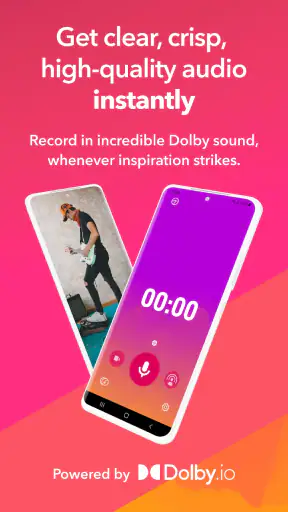
I started using Dolby On: Record Audio & Music because I wanted a quicker way to capture a voice idea, a short music performance, or a video with cleaner sound than I usually get from a phone’s standard recorder. After spending time with it in ordinary situations, I found that its main appeal is not a complicated studio workflow. It is the way it helps a casual recording sound more finished without asking me to understand audio engineering first.
This is a free music and audio app from Dolby Laboratories Inc., aimed at recording voice, music, and video. It has reached more than five million installs and holds a 4.1 average from roughly twenty-six thousand ratings, which gives a useful sense of its popularity without making it sound like a specialist tool for professionals only. I see it as a practical middle ground: more thoughtful than a basic voice recorder, but much less demanding than a full multitrack production app.
The household angle matters more than it might seem. A phone with this app can become a shared tool for a child practicing a song, a parent saving a spoken reminder, or someone recording an acoustic instrument in the living room. That convenience also creates boundaries worth considering, especially when several people use the same device. The app is rated Everyone, but that does not remove the need for adults to decide what gets recorded, where the files are kept, and who is allowed to use the phone.
How Dolby On fits into everyday recording
A useful shared-device scenario
One realistic example is a family preparing for a small event. Someone wants to record a guitar part, another person needs to practice a speech, and a younger family member wants to sing along to a backing track. Passing around the same phone is simple because the app is focused on starting a recording rather than building a project from many tracks. Each person can make a take, listen back, and decide whether it is worth keeping.
I especially like this approach for ideas that appear at inconvenient times. If I hear a melody while cooking or think of a lyric while walking around the house, opening a full music workstation would feel excessive. A focused recorder lets me preserve the idea before it disappears. The result is not automatically a finished song, but it is much more useful than trying to remember the tune later.
For spoken material, the same convenience works well. I can record a rehearsal, a short explanation, or a message to myself without arranging a microphone and interface. The processing gives the recording a more deliberate character than an untouched phone capture, although I still need to pay attention to the room. A noisy kitchen, a loud television, or a phone placed too far away will remain a problem no matter how polished the app tries to make the sound.
In a shared home, I would treat the device as the recording space rather than assuming the app itself manages different people. The practical solution is to agree on a simple routine: say the person’s name at the beginning, use clear titles, and review recordings before leaving them on the phone. That small habit prevents a collection of anonymous clips from becoming confusing later.
Getting started without turning setup into a project
The first strength I noticed is the low barrier to entry. The app’s purpose is immediately understandable, and I do not have to navigate a traditional studio layout before making a first take. That makes it suitable for someone who has never used an audio editor, while still giving a musician a faster capture option than a general-purpose notes app.
My advice is to make a short test recording before an important performance. I use that moment to check where the phone is sitting, whether my voice or instrument is too distant, and whether the room adds an unpleasant echo. This is one of the most valuable habits with any phone recorder, but it is particularly important here because the app’s sound treatment can make a good position sound more present while also drawing attention to a poor one.
For household use, I would also decide in advance whether the phone belongs to one person or is being passed around. If it is a personal device, other users should ask before recording and avoid opening unrelated material. If it is a shared phone, everyone benefits from a consistent naming approach and a quick cleanup routine. These are not glamorous features, but they make the difference between a useful recording tool and a cluttered gallery of forgotten takes.
The app runs on Android from version 8.0 onward, so it can suit households that keep an older compatible phone available for simple tasks. Its current version is 1.9. I would still check that the particular device behaves well before relying on it for an event, because audio performance depends on the phone’s microphone, storage, and general condition as much as the application.
What the sound processing changes
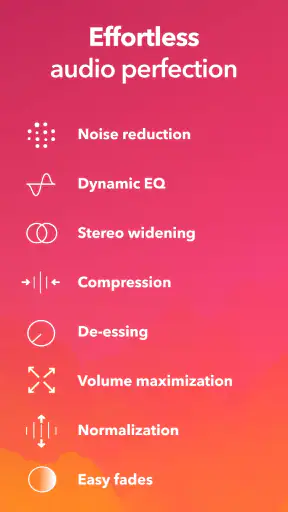
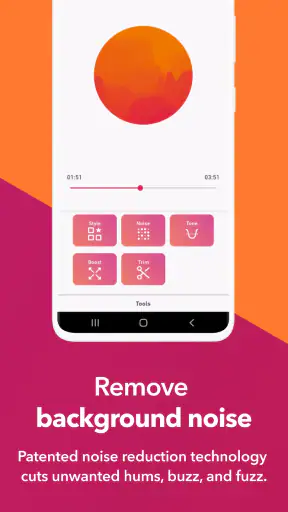
The central experience is the way Dolby’s processing shapes a raw phone recording. In my use, the app aims to make captures feel clearer, fuller, and more present instead of leaving them sounding like a plain memo. That is helpful when I want to share a performance quickly or judge a musical idea without first opening editing software.
There is a trade-off, though. A processed recording is not always the most honest representation of the original room or instrument. If I am documenting a rehearsal for detailed technical analysis, I may prefer a more neutral recording made with a dedicated recorder or a manual audio application. Dolby On is at its best when the goal is an immediately listenable result, not when I need complete control over every stage of the signal.
This distinction is easy to miss. A beginner may hear the improved presentation and assume the app has fixed everything. It has not. Distance from the microphone still matters, background noise can still distract, and an overloaded input can still sound harsh. I get better results by moving the phone closer to the source, lowering the volume of nearby distractions, and recording several short takes rather than trusting one long attempt.
For music, I would place the phone where the balance feels natural instead of pointing it directly at the loudest part of an instrument. A guitar aimed straight into the microphone can dominate the recording, while a singer standing too far away may become thin or distant. The best position is often found through two or three quick tests. That workflow is faster than trying to repair an unusable take afterward.
Recording voice, instruments, and video in different ways
Voice recording is probably the easiest place to appreciate the app. I can use it for rehearsal, narration, spoken ideas, or a personal audio note that needs to be easier to understand than a basic phone memo. The processed character can help a voice feel more focused, but I would not use it as a substitute for a quiet room when clarity really matters.
Music recording benefits from the same speed. A guitarist, keyboard player, singer, or casual songwriter can capture a performance without building a session first. I find this valuable for preserving arrangements and melodies. It also helps with self-evaluation: listening back reveals timing issues and uneven volume that are easy to overlook while performing.
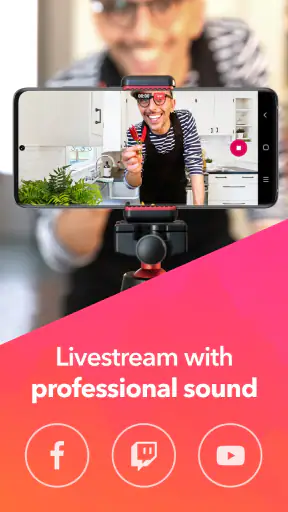
Video adds another practical use. When I record a short performance or demonstration, sound quality often determines whether the clip feels worth sharing. The app’s focus on audio gives the video a better chance of sounding intentional than a random camera recording, particularly when the subject is speaking or playing directly for the phone.
Still, I would choose a dedicated camera or a more advanced mobile production app for a serious video project. Dolby On is convenient because it combines recording with sound improvement, not because it replaces a complete video editor. If I need multiple camera angles, detailed cuts, extensive music arrangement, or precise synchronization, I would move to a tool designed for that job.
Coordination when several people use one phone
A shared device introduces a simple but important question: who is responsible for the recordings? The app is useful for collaboration, but I would not assume it creates separate personal spaces for each household member. Before a group session, I would agree on who starts the recording, who checks the take, and who decides whether it can be deleted.
For a family rehearsal, I like a three-step routine. First, announce the performer and purpose aloud. Second, make a short test and listen together. Third, record the full take only after everyone agrees that the position and volume are acceptable. This avoids the common problem of discovering afterward that the phone was covered, facing the wrong direction, or surrounded by conversation.
The same routine works for shared creative projects. If one person records a vocal idea and another adds an instrument later, clear labels make handoffs easier. I would include the song idea, performer, and take number in the title rather than relying on memory. That is especially helpful when a household produces many short clips over several days.
There is also a privacy side to coordination. A person may be comfortable recording their own voice but not someone else’s conversation in the background. I would ask before recording in a room where other people are talking, and I would stop the session if someone does not want to be included. The app makes recording easy, so the human agreement around recording becomes even more important.
Age, trust, and sensible boundaries
The Everyone age rating makes the app approachable for a broad household audience. I can imagine it being useful for a young person practicing a presentation, learning to sing, or documenting a musical idea. However, an age rating is not a substitute for supervision or a family conversation about responsible recording.
For younger users, I would explain three rules: ask before recording another person, do not capture private conversations as a joke, and show an adult anything intended for sharing. These rules are simple enough to remember and more useful than treating the app as harmless simply because it is easy to operate.
Trust also applies to the phone itself. If a child borrows a parent’s device, the adult may want to stay nearby during the first few sessions and make sure the child understands where recordings are stored and how to identify them. If a parent borrows a child’s device, the same respect should apply in reverse. Shared access should not become an excuse to browse unrelated content.
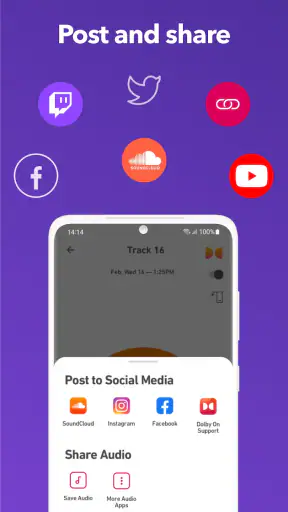
I would also separate experimentation from publication. Recording a funny voice or an unfinished song can be a private creative exercise. Sharing it with relatives or posting it publicly is a different decision. Dolby On helps with capture, but it does not replace the judgment needed before distributing someone’s voice or performance.
Where it beats ordinary alternatives
Compared with the standard voice recorder that comes with a phone, Dolby On feels more purpose-built for people who care about how a recording comes across. A basic recorder is often preferable when I want the simplest possible file with minimal intervention, but Dolby On is more appealing when I want a voice, instrument, or video to sound ready for casual listening.
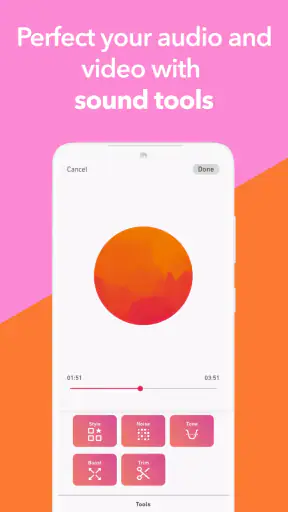
Compared with a full digital audio workstation, it is much faster to open and less intimidating. A workstation wins when I need separate tracks, detailed editing, plug-ins, automation, or exact control over a mix. I would not ask this app to manage a complex production. I would use it to capture the idea first, then transfer the work to a more advanced environment if the project grows.
Compared with a social video app, its emphasis is different. Social platforms may offer effects, publishing tools, and built-in audience features, while Dolby On is better suited to making the recording itself the priority. That makes it a calmer choice for private practice and early drafts, especially when I do not want the pressure of posting immediately.
There is also a useful distinction from a dedicated handheld recorder. Hardware can offer more dependable microphone placement, physical controls, and a sound that suits serious field work. The phone app wins on convenience: the device is already in my hand, and I can preserve an idea before setting up anything else. For many casual users, that convenience is the reason a recording actually gets made.
Small workflows that improve the results
My first practical tip is to record silence for a moment before speaking or playing. That gives me a chance to hear the room and notice distractions before committing to a full take. If the refrigerator, fan, or traffic is obvious during the test, moving to another corner is usually more effective than hoping processing will hide it.
My second tip is to make short versions of the same idea. I might record a close vocal take, a slightly more distant take, and one with the phone repositioned. Listening to those versions teaches me how the device responds to the room. It also protects against losing the best performance because the first setup was not ideal.
My third tip is to treat the app as an idea-capture stage for larger projects. I can record a melody, spoken arrangement note, or rough instrumental part quickly, then use that reference when working elsewhere. This keeps creativity moving instead of forcing me to solve production decisions before I know whether the idea is worth developing.
A fourth useful habit is to review recordings through the same kind of speaker or headphones that the eventual listener may use. A clip that sounds impressive through one device can reveal too much bass, room noise, or harshness on another. I do not need laboratory testing; I simply listen in a couple of ordinary situations before deciding that a take is ready to share.
Who should use it and who should skip it
I would recommend this app to casual musicians, singers, students, speakers, parents, and anyone who wants better-sounding phone recordings without learning a complete studio system. It is particularly good for capturing ideas quickly, checking practice sessions, making simple performance videos, and creating a shared household recording routine.
I would be more cautious about recommending it to someone who needs a neutral archival recording, precise multitrack editing, or a professional production workflow. In those cases, a dedicated recorder, external microphone, or full audio workstation may be the better choice. The app’s simplicity is its advantage, but simplicity also means giving up some control.
It may also be the wrong fit for a household that expects separate profiles, elaborate access management, or a formal shared media library. I would use ordinary device-level organization and clear agreements instead of expecting the recording app to solve those coordination needs. That is not a criticism of its core purpose; it is simply a reminder to match the tool to the household’s expectations.
My household verdict
After using it as a quick recorder rather than pretending it is a complete studio, I found Dolby On most convincing when speed and presentable sound matter more than detailed control. It turns a phone into a capable starting point for voice, music, and video, and its free price makes it easy to try without committing money. The broad Everyone rating also makes it approachable for shared creative activities, provided adults set sensible recording boundaries.
The developer, Dolby Laboratories Inc., has kept the experience focused enough for a first-time user while giving experienced hobbyists a convenient capture tool. I would not choose it for every audio job, and I would still test the room, microphone position, and final playback before sharing anything important. Those limitations are manageable because the app is honest about its strongest role through the way it works: quick recording with a more polished starting sound.
For me, the best reason to keep it installed is that it reduces the distance between having an idea and saving it. A family can use it for practice, a musician can use it for sketches, and a speaker can use it for rehearsal without turning every recording into a technical session. If you want a fast, friendly way to make phone audio feel more finished, this is a strong choice; if you need deep editing or strict recording control, choose a dedicated tool instead.


